Combining Meshes⚓︎
One of the easiest ways to reduce the amount of objects in your scene is by combining meshes that share the same material. This helps with batching and can lower draw calls, which is especially useful for large track scenes.
Don't overdo it
Combining everything into one giant mesh will hurt culling (frustum/occlusion). Only combine static objects that you know will stay together and share the same material. Read draw calls and culling.
Blender⚓︎
What you'll need⚓︎
- Basic knowledge of Blender's Object Mode and Edit Mode
Step 1: Identify what to combine⚓︎
Look for static pieces that make sense as one object. Good examples:
- A modular wall made of multiple separate planks
- Repeated trim pieces that form one continuous section
- Scenery props that are always placed as a set and use the same material
Step 2: Select the objects⚓︎
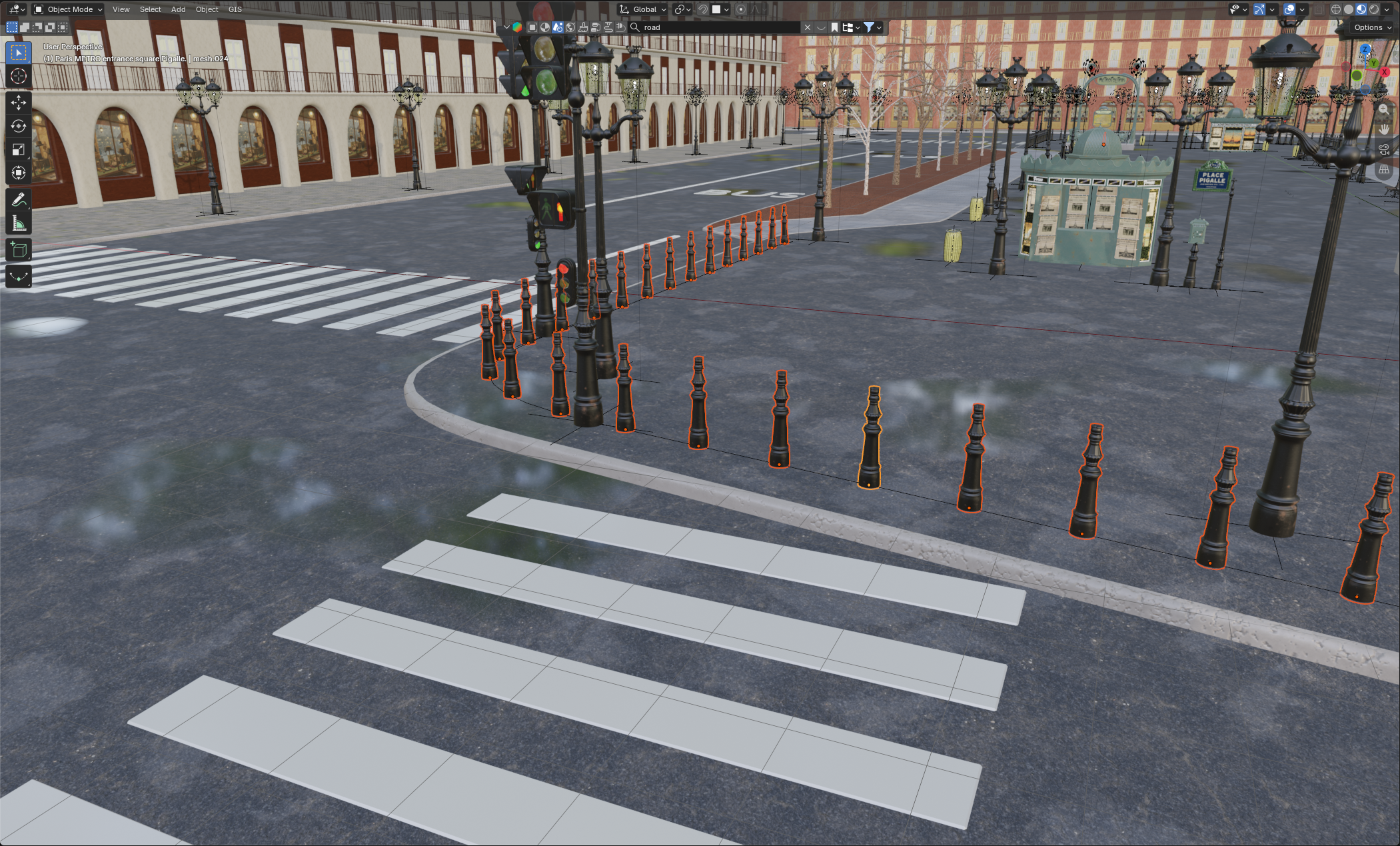
- Open your scene in Blender
- Switch to Object Mode (
Tabif you're in Edit Mode) - Select all meshes you want to join. Hold
Shiftand click each one
Step 3: Join them together⚓︎
- With all objects selected, press
Ctrl + Jon your keyboard - Blender will merge them into one single object
Tip
You can also find this under Object > Join in the top bar.
Step 4: Clean up⚓︎
Info
This is only necessary when you join meshes that "touch" each other, like two walls and should be done with care, as it can also break stuff.
- Enter Edit Mode (
Tab) - Remove doubles:
M > By Distance(this merges overlapping vertices) - Recalculate normals if needed:
Shift + N(especially after joining hard-surface pieces) - Exit Edit Mode (
Tab)
Important Notes for Blender⚓︎
- Don't join across different materials unnecessarily: If you plan to merge materials later, that's fine. But joining objects just to "clean up" when they need different materials isn't helpful for draw calls.
- Keep collision separate: Collision meshes (
1WALL,AC_PHYS) should almost always stay as their own object(s).
Race Track Builder (RTB)⚓︎
Do most of the work in Blender
RTB isn't designed for heavy mesh editing. To avoid constant "fixing after an RTB export", you can export your meshes, use blender to optimize them and then import them back into RTB (overwriting your unoptimized, non-merged objects). If you think you will never update your map, fixing it once in blender at the end is fine.